Perform user actions
Last updated April 10th, 2026
You can use user actions to perform various operations, such as sending enrollment guides or adding a user to a group. To perform a user action, select a user on the Users page, then click ACTIONS.
The actions you can perform depend on the selected user’s status, device count, and other factors.
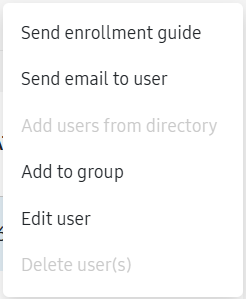
The table below describes each action:
| Action | Description |
|---|---|
| Send enrollment guide | Send an email to the selected users with instructions on how to enroll their devices. To learn more about how to enroll a device, see Enroll a device. |
| Send email to user | Send an email based on your template to the selected users. To learn more about how to create a template, see Send user emails from templates. |
| Add users from directory | Add users from an identity provider connected to Knox Manage. To learn more, see Add a user from a directory. |
| Add to group | Add the selected users to a manual user group. To learn more about other ways to add users to groups, see Manage groups. |
| Edit user | Edit a user's details, such as their name, email, user status, and more. To learn more, see View or modify user details. |
| Delete user(s) | Delete the selected users. To learn more, see Delete users. |
Is this page helpful?