Perform group actions
Last updated October 8th, 2026
Depending on your group’s membership type, member count, and other factors, you can perform actions such as assigning or unassigning profiles, sending the enrollment guide, and viewing device location.
Perform actions on groups
To perform an action on a group, select a group, then click ACTIONS.
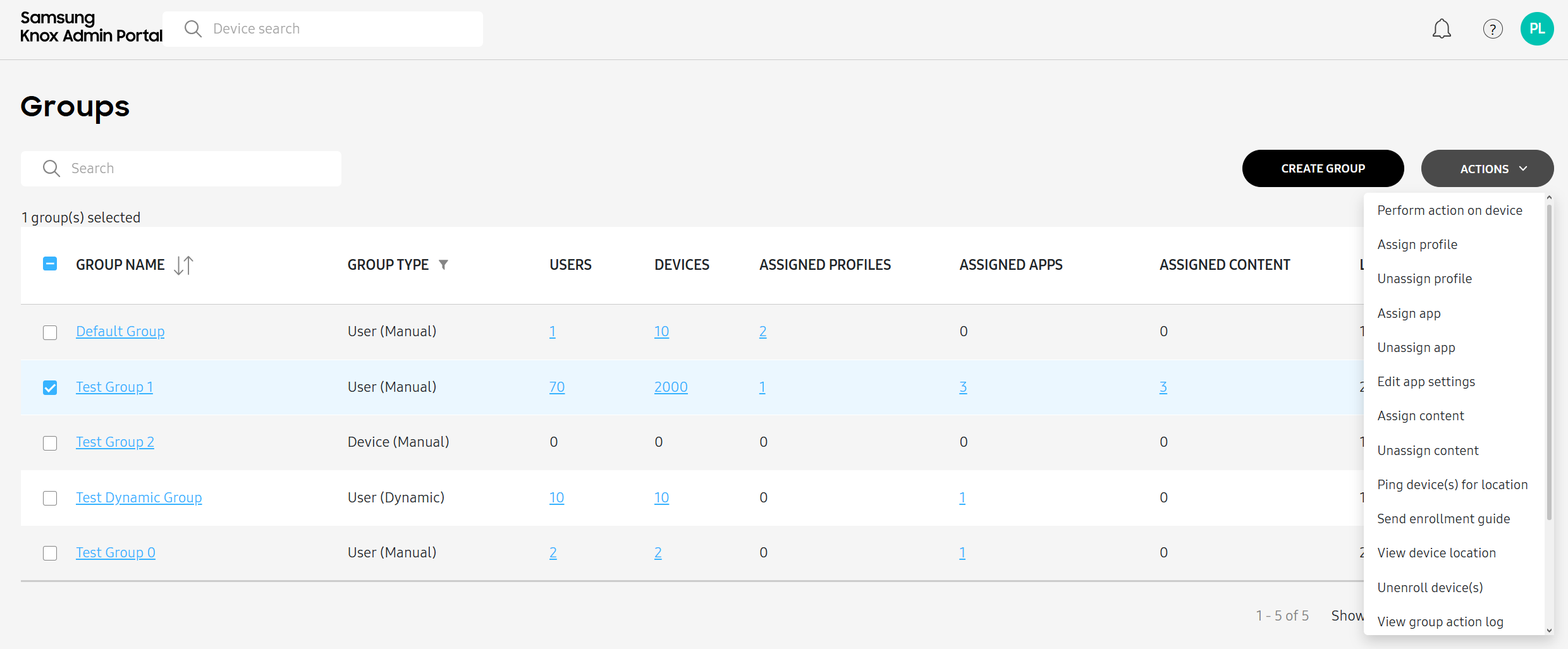
The following table describes each action:
| Action | Description |
|---|---|
| Perform action on device |
Remotely execute commands to devices within the group, such as locking, rebooting, installing apps, or pushing profiles. If a group contains devices with different management types, then you’re prompted to select a specific management type to send the command to. For a complete list of commands, see Perform actions on devices. |
| Assign profile | Assign a set of policies and configurations to the selected group, enforcing specific management settings and restrictions. To learn more, see Create profiles and policies. |
| Unassign profile | Unassign a previously assigned set of policies and configurations from the selected group. |
| Assign app | Make the selected app available for installation on devices in the group, either automatically or for manual installation by users. To learn more, see Add apps. |
| Unassign app | Remove the selected app from devices in the group. |
| Edit app settings | Modify the selected app's installation, update, auto-run options, and more. To learn more, see Edit an app. |
| Assign content | Select and push already uploaded documents, images, and videos to devices within the selected group. To learn more about uploading content, see Add supported content. |
| Unassign content | Remove the selected document, image, or video from devices in the group. |
| Ping device(s) for location | Send a command to collect the current location of each device in the group. To learn more, see Ping and view device locations. |
| Send enrollment guide | Send an email to each user in the group with instructions on how to enroll their device. |
| View device location | If you've pinged the location of devices in the selected group, displays a map of their locations. To learn more, see Ping and view device locations. |
| Unenroll device(s) | Unenroll all devices in the selected group. |
| View group action log | View a list of all actions performed on the selected group. |
| Add groups from directory | Add a group from a connected third-party directory. To learn more about connecting to a directory, see Configure third-party providers. |
| Duplicate group | Quickly create new groups with similar configurations, policies, and settings without having to manually recreate all the group parameters. To learn more, see Duplicate groups. |
| Edit group | Manage the members of your selected group, and edit the name in the case of manual group. To learn more, see View and manage groups. |
| Delete group(s) | Delete selected groups. |
This document was updated for the Knox cloud services 26.10 UAT.
Depending on your group’s membership type, member count, and other factors, you can perform actions such as assigning or unassigning profiles, sending the enrollment guide, and viewing device location.
Perform actions on groups
To perform an action on a group, select a group, then click ACTIONS.
The following table describes each action:
| Action | Description |
|---|---|
| Perform action on device |
Remotely execute commands to devices within the group, such as locking, rebooting, installing apps, or pushing profiles. If a group contains devices with different management types, then you’re prompted to select a specific management type to send the command to. For a complete list of commands, see Perform actions on devices. |
| Assign profile | Assign a set of policies and configurations to the selected group, enforcing specific management settings and restrictions. To learn more, see Create profiles and policies. |
| Unassign profile | Unassign a previously assigned set of policies and configurations from the selected group. |
| Assign app | Make the selected app available for installation on devices in the group, either automatically or for manual installation by users. To learn more, see Add apps. |
| Unassign app | Remove the selected app from devices in the group. |
| Edit app settings | Modify the selected app's installation, update, auto-run options, and more. To learn more, see Edit an app. |
| Assign content | Select and push already uploaded documents, images, and videos to devices within the selected group. To learn more about uploading content, see Add supported content. |
| Unassign content | Remove the selected document, image, or video from devices in the group. |
| Ping device(s) for location | Send a command to collect the current location of each device in the group. To learn more, see Ping and view device locations. |
| Send enrollment guide | Send an email to each user in the group with instructions on how to enroll their device. |
| View device location | If you've pinged the location of devices in the selected group, displays a map of their locations. To learn more, see Ping and view device locations. |
| Unenroll device(s) | Unenroll all devices in the selected group. |
| Assign rule | Assign a rule or rules to the group. |
| Unassign rule | Unassign a rule or rules from the group. |
| View group action log | View a list of all actions performed on the selected group. |
| Add groups from directory | Add a group from a connected third-party directory. To learn more about connecting to a directory, see Configure third-party providers. |
| Duplicate group | Quickly create new groups with similar configurations, policies, and settings without having to manually recreate all the group parameters. To learn more, see Duplicate groups. |
| Edit group | Manage the members of your selected group, and edit the name in the case of manual group. To learn more, see View and manage groups. |
| Delete group(s) | Delete selected groups. |
Is this page helpful?