Wi-Fi calling setting status
Last updated September 25th, 2024
The Wi-Fi calling setting status dashboard insight lets you know which devices in your fleet have the Wi-Fi calling feature enabled or disabled, and which devices are incompatible with the feature altogether.
You can use this insight to help ensure that your devices — that are compatible — always have this feature enabled when operating in low signal environments, which can help improve overall call quality and reduce the chances for dropped calls.
Dashboard tile view
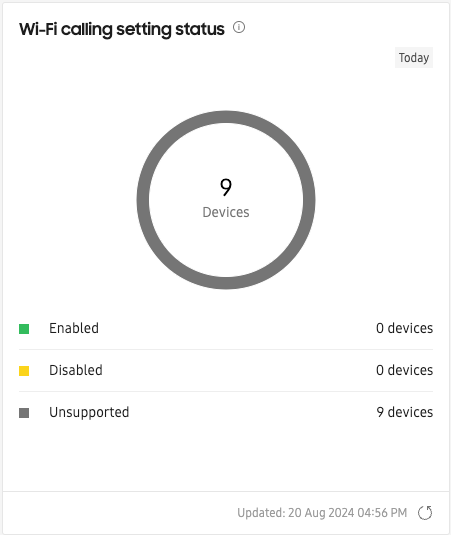
This insight’s dashboard tile view displays the total number of devices in your fleet that either have the Wi-Fi calling feature Enabled, Disabled, or Unsupported. The ring chart on the tile provides a breakdown of the three statuses, and corresponds with the data in the table below. Hover over each segment of the view the total number of devices.
As denoted by the Today flag in the tile, this insight only displays data for the current day, regardless of the date selection on the dashboard.
The total number of devices reported by this insight is based on the total number of Active devices, and not the total number of devices in the entire fleet.
Expanded details page
This insight’s expanded details page provides a summary of the Wi-Fi calling setting status for all devices in the fleet. Click a status on the dashboard tile to go to the expanded details page for that status.
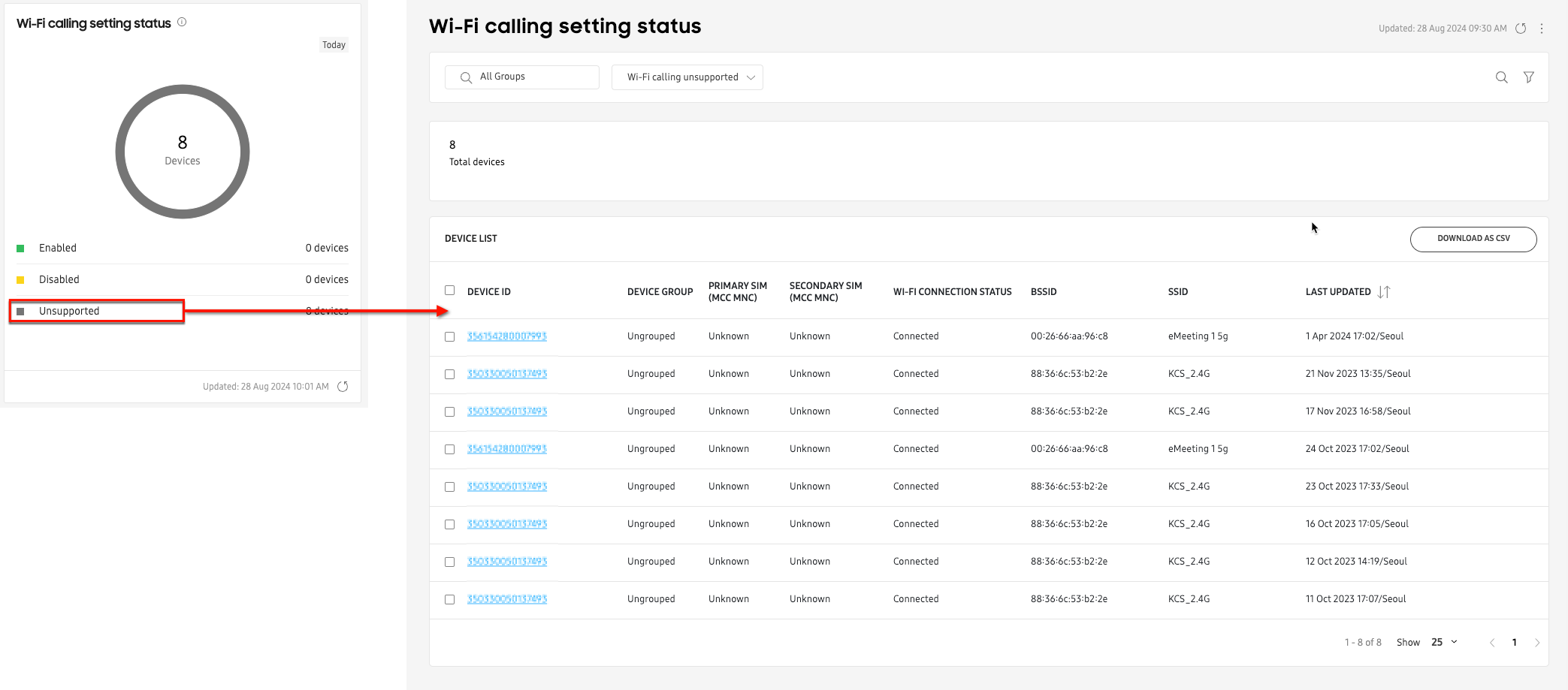
On the expanded details page, use the search and filter options to limit your results to specific device groups, device IDs, or Wi-Fi calling setting status, and Wi-Fi connection status.
Click any link in the DEVICE ID column to view the expanded device details panel. To download a CSV copy of the insight’s expanded details page data, click DOWNLOAD AS CSV.
On this page
Is this page helpful?