Security events summary
Last updated May 27th, 2026
Knox Asset Intelligence provides Microsoft Sentinel with a wide range of security events to aid security operations teams in threat detection, incident investigations, and security compliance. When events are detected by Knox Asset Intelligence, they are categorized into the following event types:
- Application: Indicates when an app’s permission state is enabled or changed, such as when an app is unexpectedly prevented from being removed or granted permission to access a user’s call logs. These changes can potentially lead to malicious intent, such as apps remaining on your device to continue harmful activities like stealing data, displaying ads, or using your device’s resources without your knowledge.
- Audit: A general event type that captures a wide range of scenarios, typically when an admin makes a privilege change or performs an action, such as allowing camera usage, remotely locking the device, or removing apps and certificates. While not all Audit events are malicious, Knox Asset Intelligence captures and provides them to Sentinel so that SOC teams can further analyze device-specific events and verify whether they are legitimate actions taken by an admin.
- Network: Indicates if there issues related to VPN and public wi-fi connectivity, or if there are anomalies or deviations in the network behavior of apps and devices. For example, if VPN binding failed for specific apps.
- Process: Occurs when an app changes its identity in a way that grants it escalated privileges, possibly resulting in unintended behavior such as app crashes or the creation of hidden backdoors, which could lead to security breaches.
- System: Indicates that the device binary or peripherals (like the camera or microphone) were compromised or granted access despite being disabled by a system policy, leading to possible exploits, data theft, or unauthorized surveillance.
- User: Triggered by actions such as a user tapping or copying a potentially suspicious URL on their device, leading to possible phishing scams, malware infections, or spyware installations.
Accessing the events list
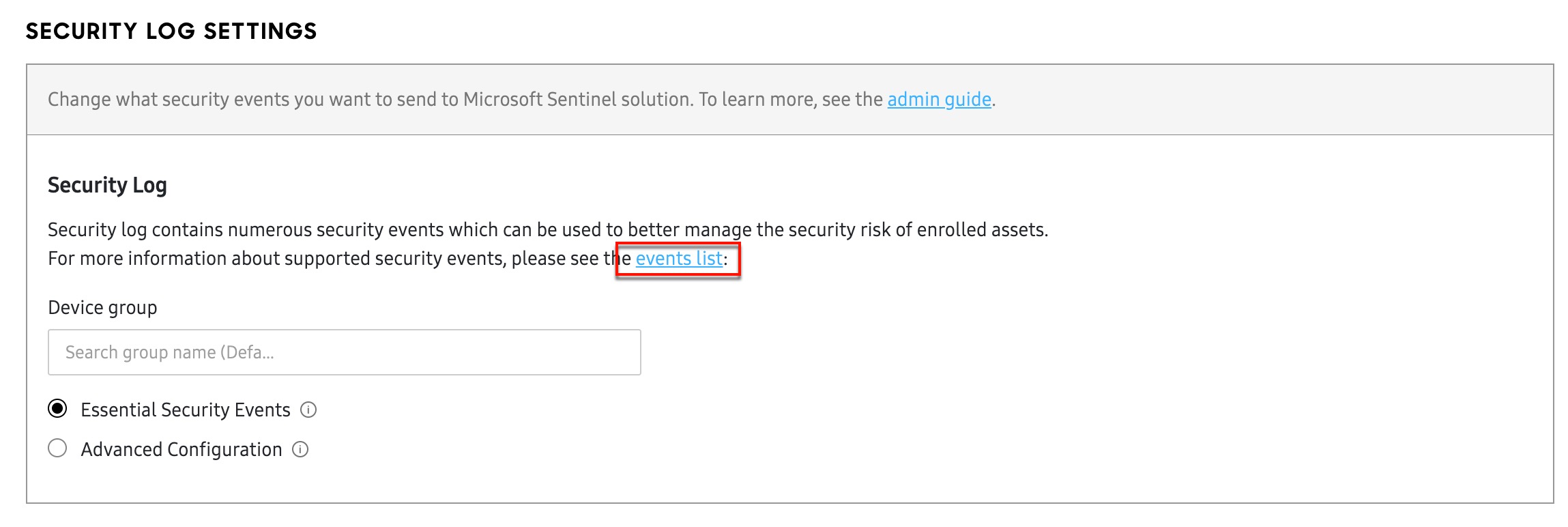
When you are signed into the Knox Asset Intelligence console, you can view the list of available security events by going to your dashboard Settings > SECURITY tab, then clicking the Events list link under SECURITY LOG SETTINGS. Alternatively, you can review the list of available security events on the Security events page.
How to use the events list
The Security events page provides a list of every Essential and Advanced security event sent from Knox Asset Intelligence to Microsoft Sentinel. Each event type is grouped by its Severity category: High, Medium, or Low.
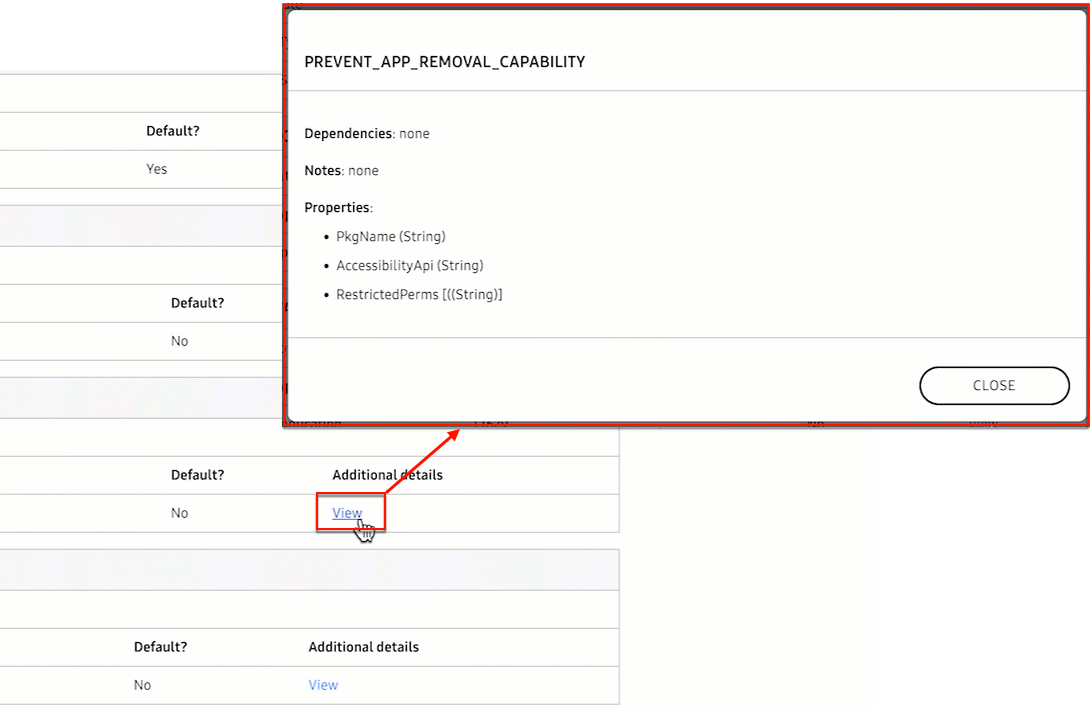
Additionally, each event includes a description, as well as information about the event type and relevant MITRE technique ID. If you click the View link in the Additional details column, you can see more information like Dependencies and Properties.
On this page
Is this page helpful?