View and manage support tickets
Last updated October 21st, 2026
As a Samsung Care Pro customer, your support tickets are placed in a priority queue to help ensure your concerns are seen as soon as possible.
View priority support tickets
You can view a table of all the priority support tickets you’ve created by clicking Support tickets on the Samsung Care Pro navigation pane.
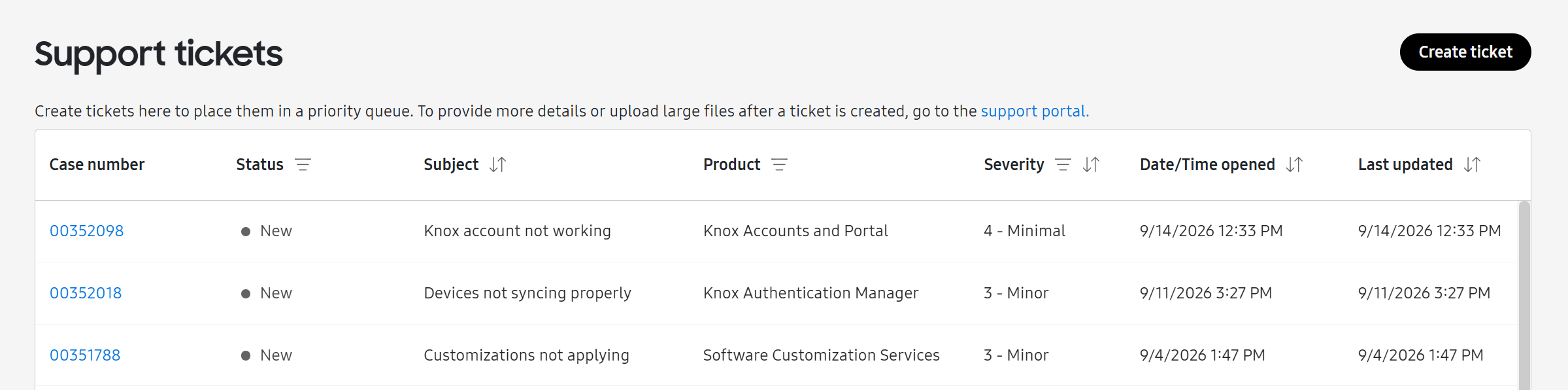
The support tickets table displays the following information:
| Column | Description |
|---|---|
| Case number | Case number opened for the support ticket. Click the link in the number to view the ticket's details in the support portal. |
| Status |
The current status of your support ticket.
|
| Subject | The subject line entered when the support ticket was created. |
| Product | The Knox product affected by the issue reported. |
| Severity |
The severity of the issue reported.
|
| Date/Time opened | The date and time the support ticket was submitted. |
| Last updated | When the support ticket was last updated. |
For more information on how to create a support ticket, see Create a priority support ticket.
View ticket details
When you create a support ticket, a new case is opened in the support portal. To open the support portal, click the link in the case number.
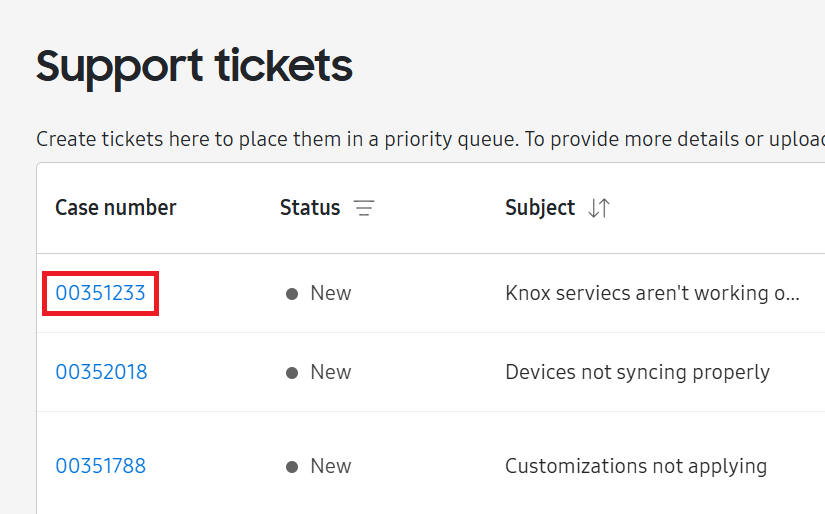
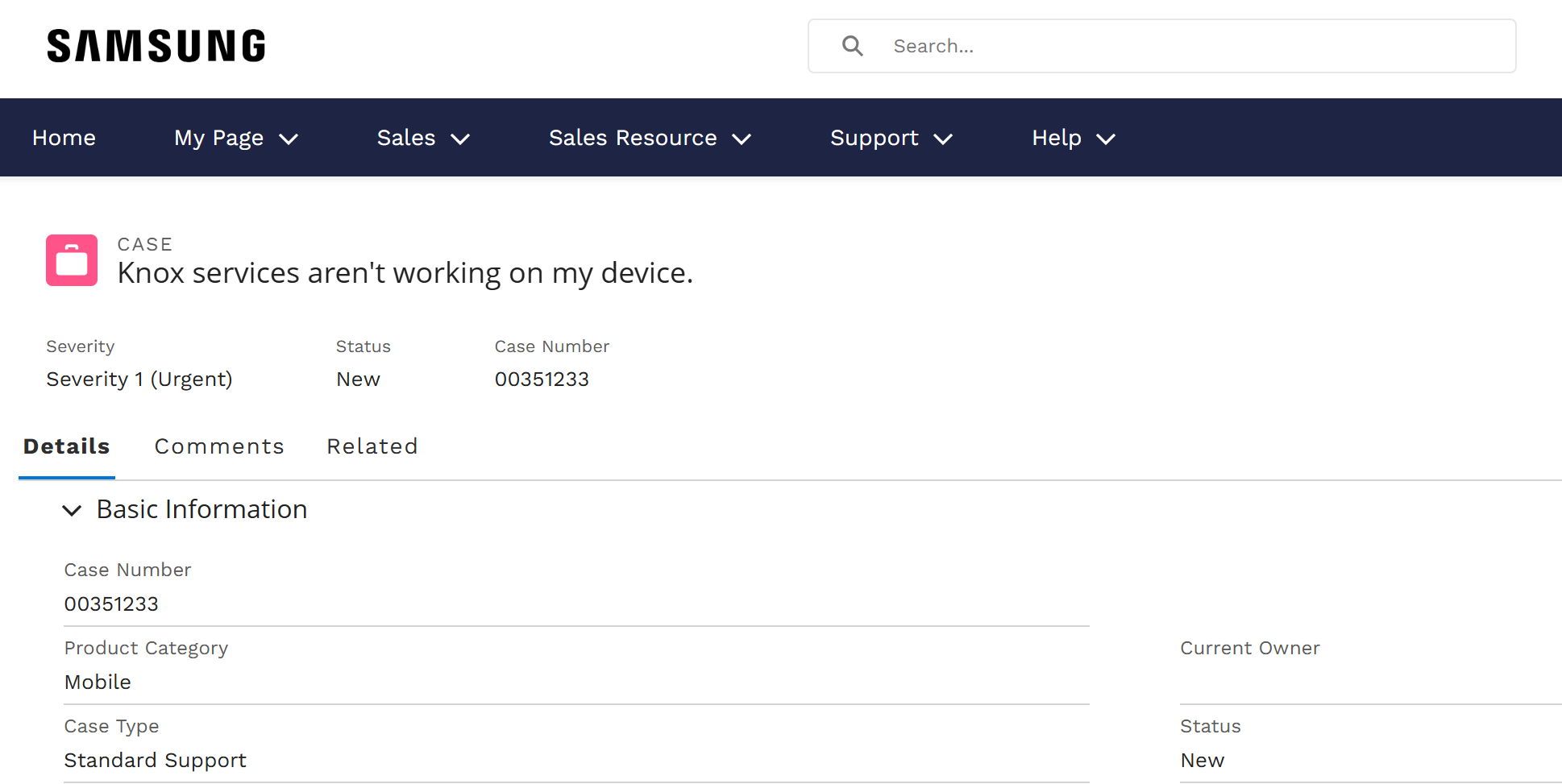
Here, you can view all the details associated with your case, as well as provide additional comments or files if needed.
Add comments or large files to your support ticket
You can provide additional information or attach more files on the support portal after you create your support ticket. For example, you can attach large videos depicting your issue or provide updates to the support team.
To add comments or large files to your support ticket:
-
On the Support tickets page, click the link in the case number of the support ticket you wish to add information to. Your case opens in the support portal.
-
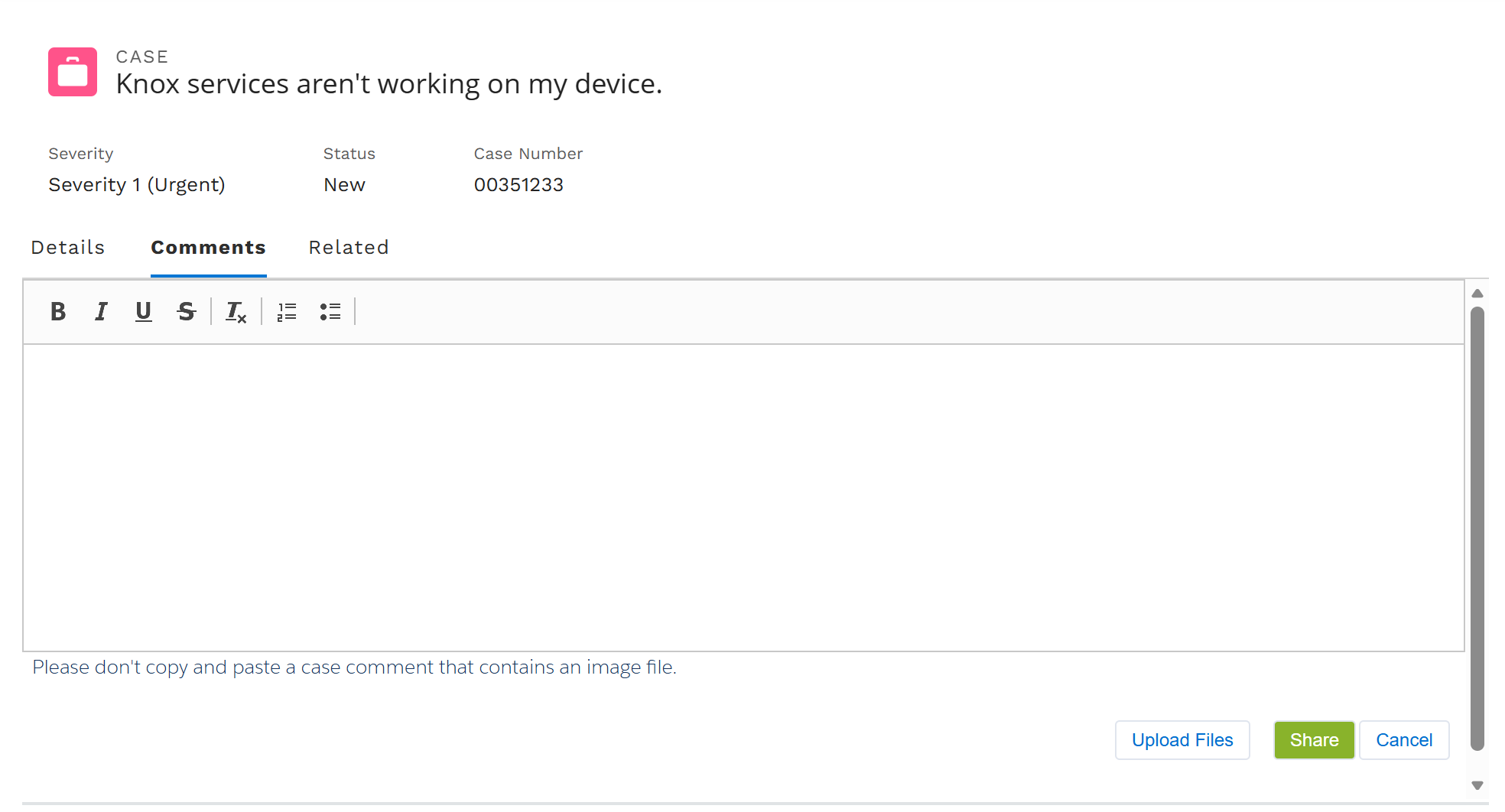
Click the Comments tab.
-
Enter your comments or click Upload Files and select the files you’d like to upload.
-
Click Share to submit your comments or files.
On this page
Is this page helpful?