Create a priority support ticket
Last updated October 21st, 2026
If you’re experiencing an issue that isn’t covered by our knowledge base articles (KBAs), FAQs, or documentation, you can reach out to us directly by submitting a support ticket. As a Samsung Care Pro customer, your support tickets are placed in a priority queue to help ensure your concerns are seen as soon as possible.
Create a support ticket
Before creating a support ticket, ensure you have the appropriate role permissions: Samsung Care Pro > Support tickets > Manage support tickets.
To create a priority support ticket:
-
On the Samsung Care Pro navigation pane, click Support tickets.
-
On the Support tickets page, click Create ticket.
-
Fill in the ticket creation form with details about your issue:
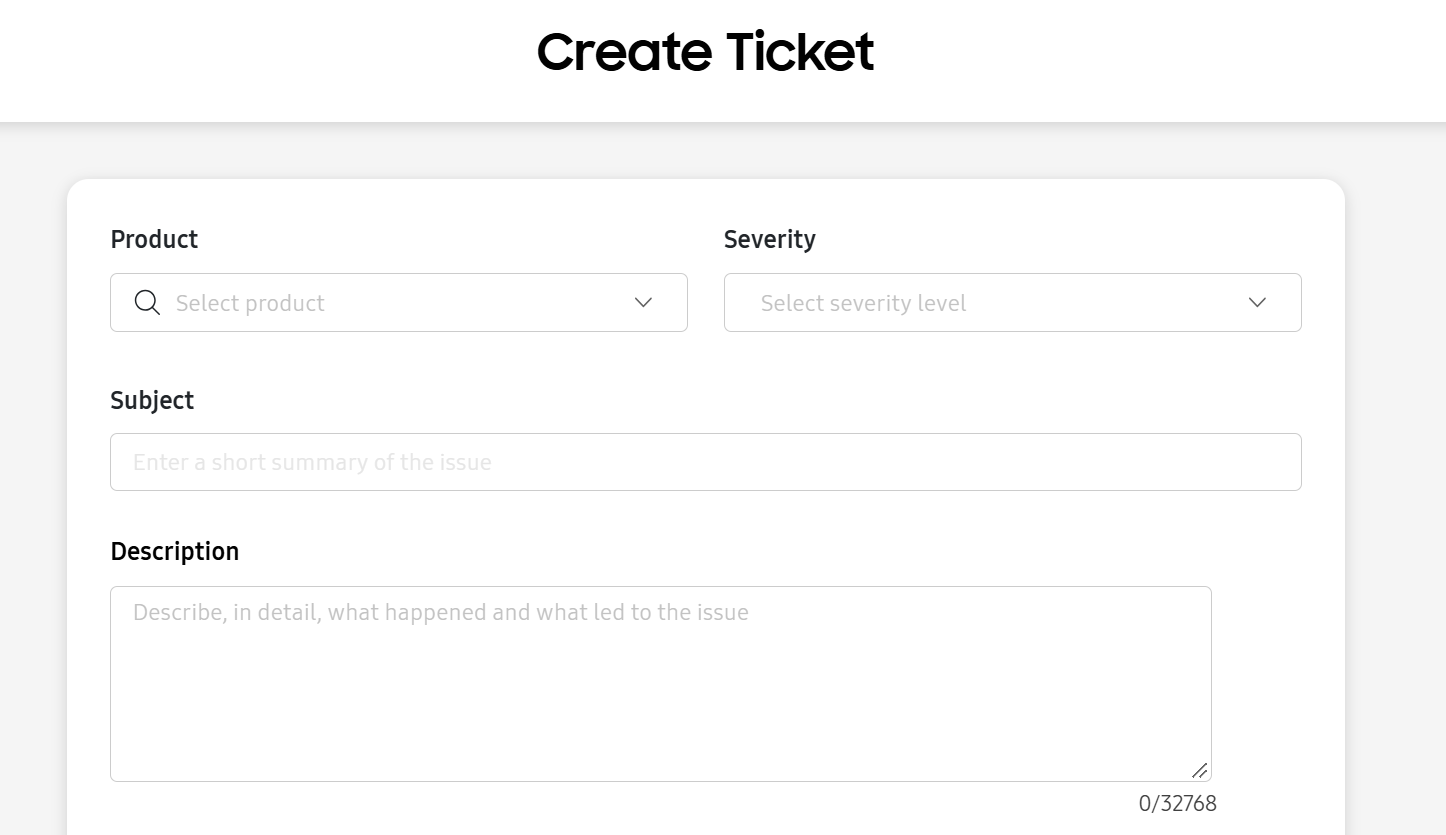
- Select the Product you’re submitting a ticket about.
- Select a Severity level.
- Enter an appropriate Subject line.
- Provide a Description that clearly details the issue that occurred and the events leading up to the issue.
-
(Optional) You can provide additional information about your case by clicking Upload files for troubleshooting. Click Browse file to select the files you wish to attach, or drag and drop the files onto the console.
You can attach up to 10 files totaling 60 MB on this page. If you need to attach larger files, you can do so on the support portal.
To learn more about the types of files you can attach, see What are the supported file types?
-
When you’re finished entering your details, click Next: Review. On the following page, review the information you’ve entered. If needed, click Edit to modify the ticket.
-
Click Create.
Your newly created priority support ticket is assigned a case number, and is added to the support ticket table.
What are the supported file types?
When creating a support ticket, you may want to add attachments that provide the support team with additional information about your issue.
When uploading attachments, note the following:
- Make sure your file is one of the following supported file types.
- You can upload up to 10 files.
- The total combined size of your files must be below 60 MB.
Supported file types
| Category | Supported file types |
|---|---|
| Documents |
|
| Images |
|
| Videos |
|
| Logs |
|
| Emails |
|
| Compressed files |
|
| Audio |
|
Need to upload large files?
If you need to upload files exceeding the 60 MB total to your case, you’ll have to add them in the support portal after you’ve created the ticket. For more information, see View and manage support tickets.
On this page
Is this page helpful?